Destin Condo GetawaysDestin Condo GetawaysPelican Beach Resort | Destin, Florida

Where Destin stays with you

Live availability
Menu

Interactive resort explorer

Explore Pelican Beach Resort in 3D

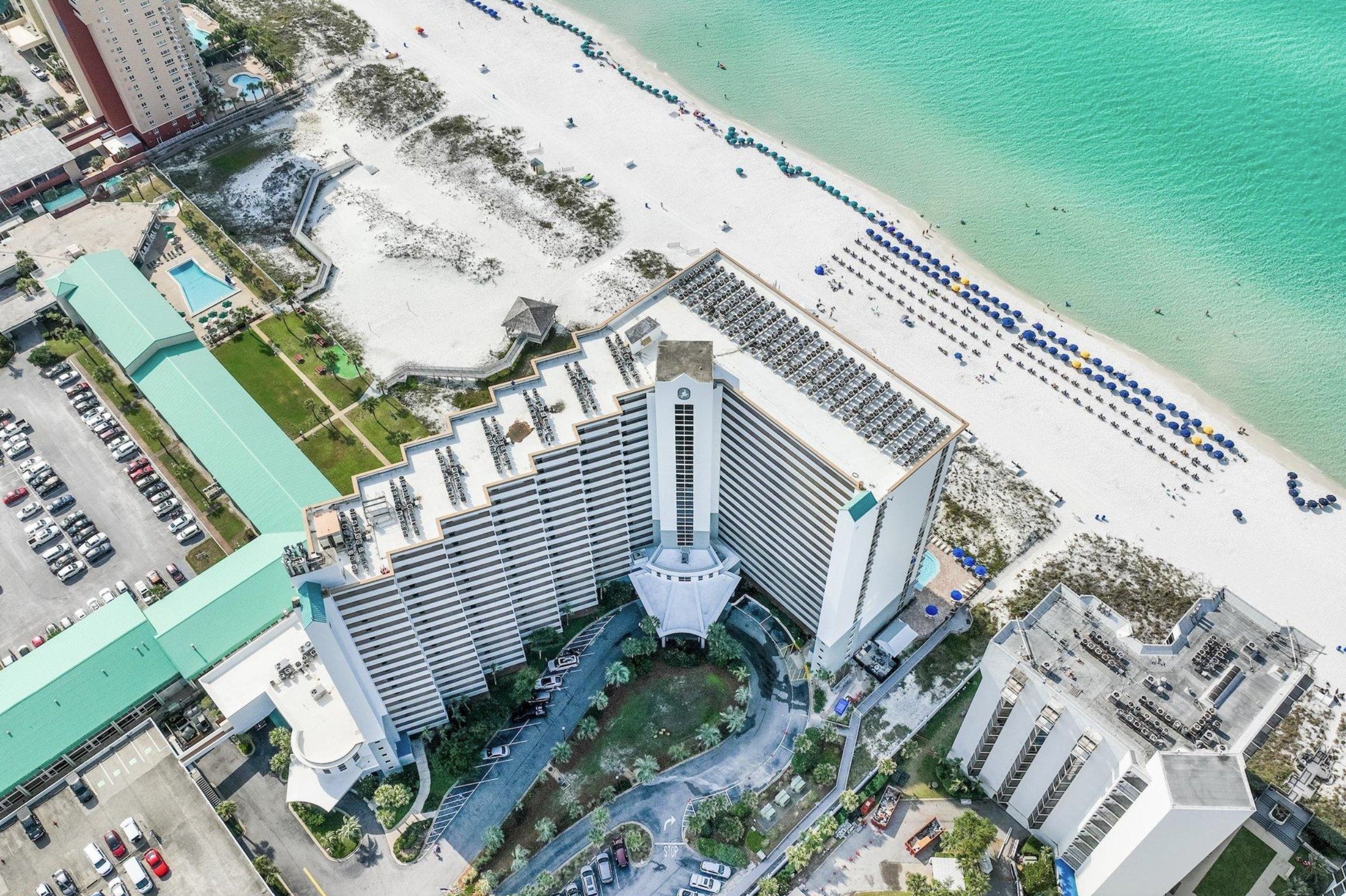
Get your bearings at this Gulf-front Destin resort before you arrive. Rotate the beachfront building and grounds from the US-98 entrance to the sand, then tap pools, parking and other landmarks for real photos.

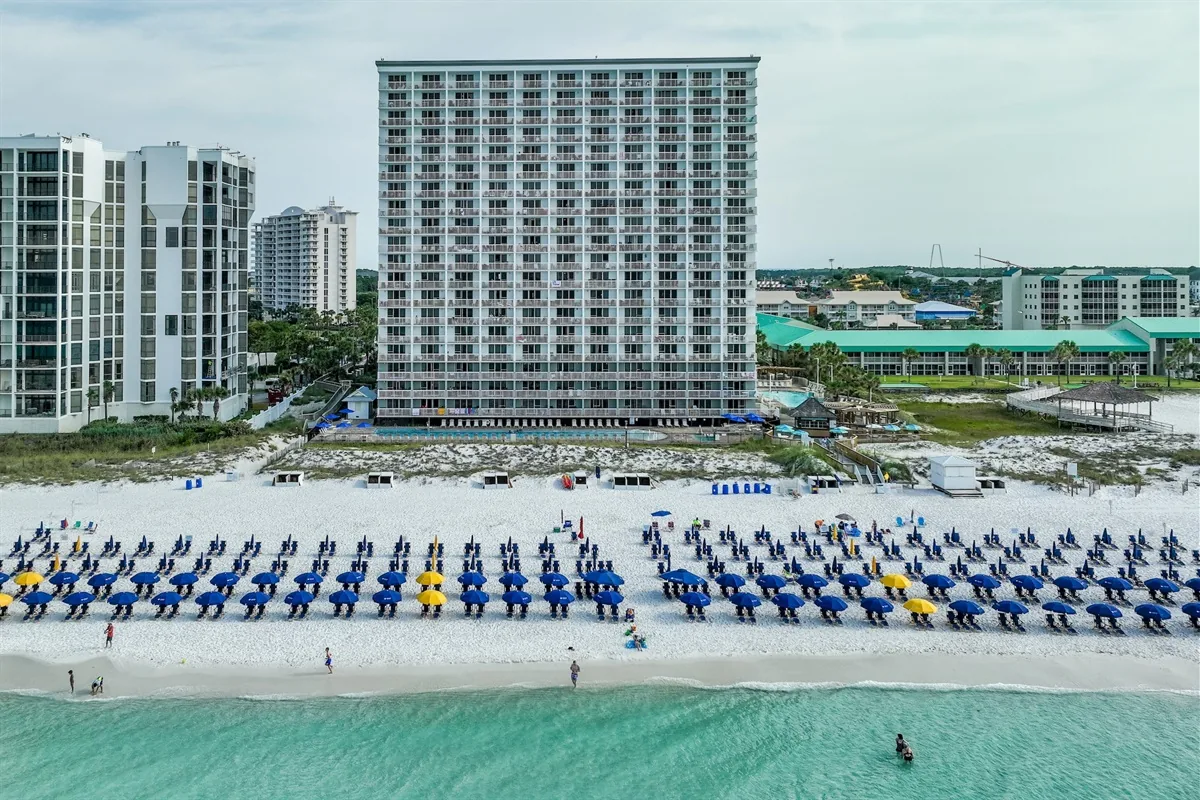
Aerial view of Pelican Beach Resort, its Gulf-front building, pools, beach and Gulf of Mexico in Destin

Ready to stay here?

Find a Gulf-front condo for your dates.

Check live availability and complete stay totals for our individually owned Pelican Beach Resort condos. The 3D map shows the shared property; the booking search checks the exact units we manage.

Live availability

Explore the property

Rotate the building. Find the beach. Explore the details.

Drag to turn the map from the US-98 entrance toward the Gulf of Mexico. Choose a labeled location to highlight it and see a real photo, or play the guided arrival story.

Preparing the 3D resort map…

This independent 3D illustration is for orientation, not a survey or official resort map. Positions and proportions are approximate; follow current guest instructions and on-site signs.

From arrival to the water

See the route from US-98 to the Gulf.

01

Arrive and park

Pelican Beach Resort is at 1002 US Highway 98, Destin, FL 32541. Find the security gate, temporary guest parking, main entrance, open parking, garage and EV charging on the model. For current access rules, use your reservation instructions and on-site signs.

02

Find the amenities

Locate the Gulf Pool, Dolphin Pool, indoor/outdoor pool, kiddie pool, hot tubs, Tiki Bar, café, fitness area and tennis or pickleball courts. Tap a mapped spot to compare the 3D location with an actual property photo.

03

Reach the beach

The main Pelican building is directly on the Gulf. See how the pools, beach-chair area and sand relate to the building; guests do not cross a public road to reach the beach. Expand the map for a closer look on a phone.

What you can find

A map for the questions guests actually ask.

Start with the full property view, then select a location on the 3D map to connect the illustrated layout with an actual photo.

Arrival and parking

Trace the approach from the US-98 security gate to the main entrance. Compare temporary unloading, open parking, the two-level garage, accessible spaces and EV charging before arrival day.

Get the address and directions

Pools and shared amenities

Place the Gulf Pool, Dolphin Pool, indoor/outdoor pool, kiddie pool and hot tubs around the building. The model also marks the café, seasonal Tiki Bar, fitness area, grills and rooftop courts.

Read the full resort guide

Beach and condo location

See the main Pelican building beside the Gulf and how its pools and beach access relate to the sand. This resort-level map does not identify every condo or show a view from a specific balcony.

Compare our exact condos

What this map is—and is not

A practical resort orientation tool.

This rotatable 3D model helps you picture the property layout before your Destin trip. It highlights shared resort landmarks, not live condo inventory or an exact architectural survey. The Pelican Beach Resort guide has more on the building and amenities, while the map and directions page covers the address, arrival route and parking details.

Ready to choose a rental? Explore Unit 707 and explore Unit 1006 to see their own photos, layouts and Gulf views. Enter dates and guests above for live availability and a complete current total; the 3D resort model itself does not indicate whether a unit is open.

Frequently asked questions

Answers before you explore or book.

Can I rotate the Pelican Beach Resort map on my phone?

Yes. Drag the model left or right with your finger, use the plus and minus controls to zoom, and tap Reset view to return to the starting angle. The full-screen control gives the map more room on a phone.

Does the 3D map show which Pelican Beach Resort condos are available?

No. The map shows the shared resort grounds and amenities, not live reservations. Enter your dates and party size in the condo search on this page to see current availability and complete stay totals for the units Destin Condo Getaways manages.

Which Pelican Beach Resort building does this 3D map show?

The model centers on the main Pelican building beside the Gulf, along with its grounds, pools, parking and beach access. The separate Terrace at Pelican building faces US-98. Destin Condo Getaways' Units 707 and 1006 are in the beachfront Pelican building.

How do I get from the entrance to the beach?

Use Play arrival story for a guided view from the US-98 security gate through the property toward the pools and Gulf. The main Pelican building sits directly on the beach side; guests do not cross a public road to reach the sand.

Can I see real photos of the places marked on the map?

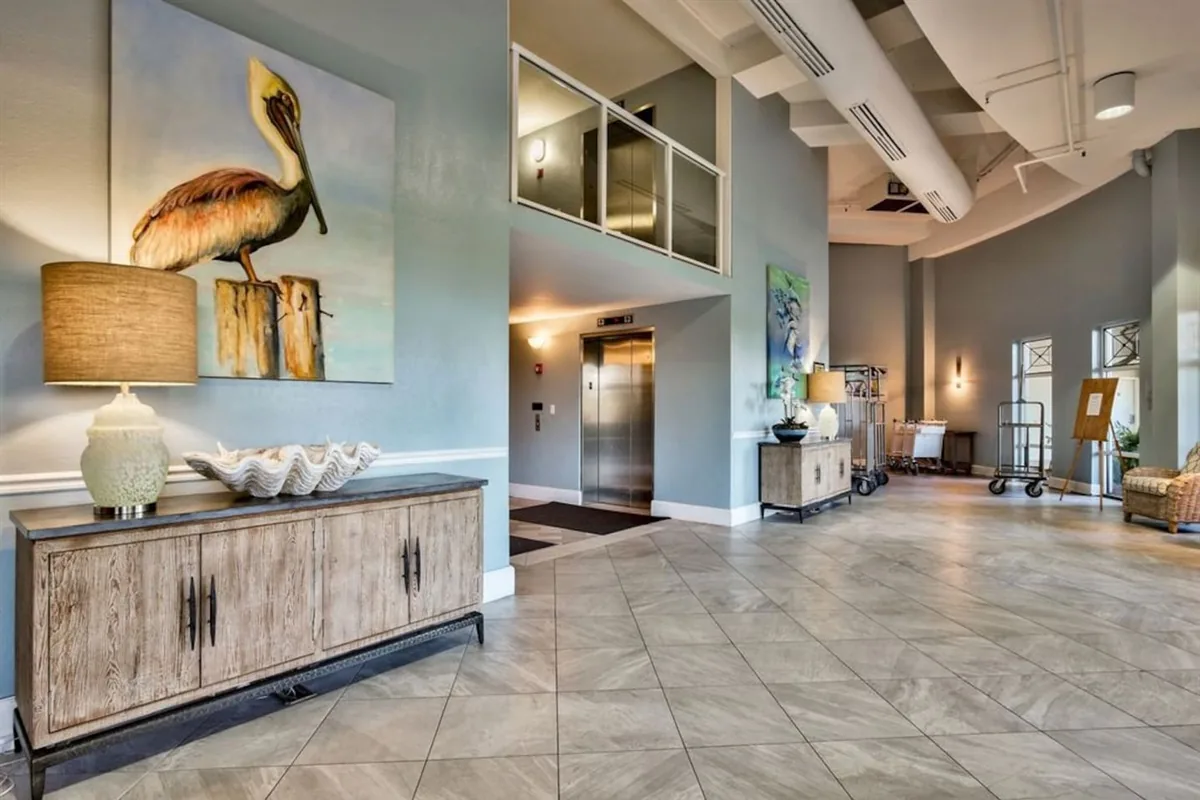
Yes. Select a labeled amenity below the model to highlight its approximate position and open a real photo. The photo helps identify the place; the illustrated model is not an architectural survey or a substitute for current signs and guest instructions.

Where are the pools, parking and EV chargers?

Use the map's location buttons to jump to the Gulf Pool, Dolphin Pool, indoor/outdoor pool, kiddie pool, hot tubs, open and covered parking, and EV charging. Current access and operating details can change, so check your guest instructions before arrival.

Need the broader resort details? See the Pelican Beach Resort FAQ or our guest guide.

Found your way around?

Now find your place to stay.

Compare our two Gulf-front condos in the Pelican building, or search current availability for your dates.